
The Marketplace has been part of ForumSpark for a while: a place on your board where you, and if you like your members, can share and sell products like themes, guides, services, merch or anything else downloadable. In 2.1 every page of it was rebuilt. Here’s a sneak peek of what’s coming in 2.1:
Improved storefront
The store front has been rebuilt pretty much from scratch.
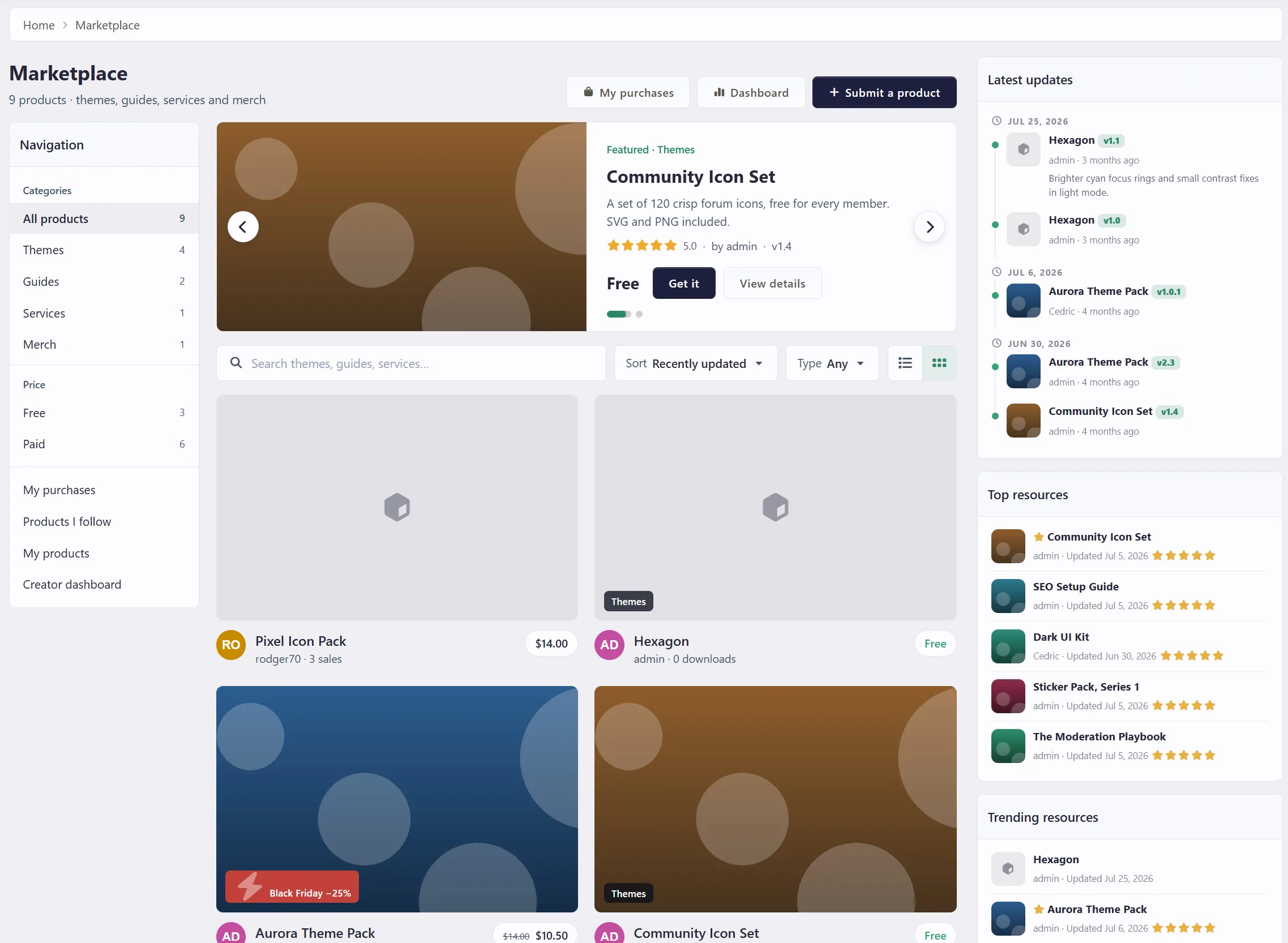
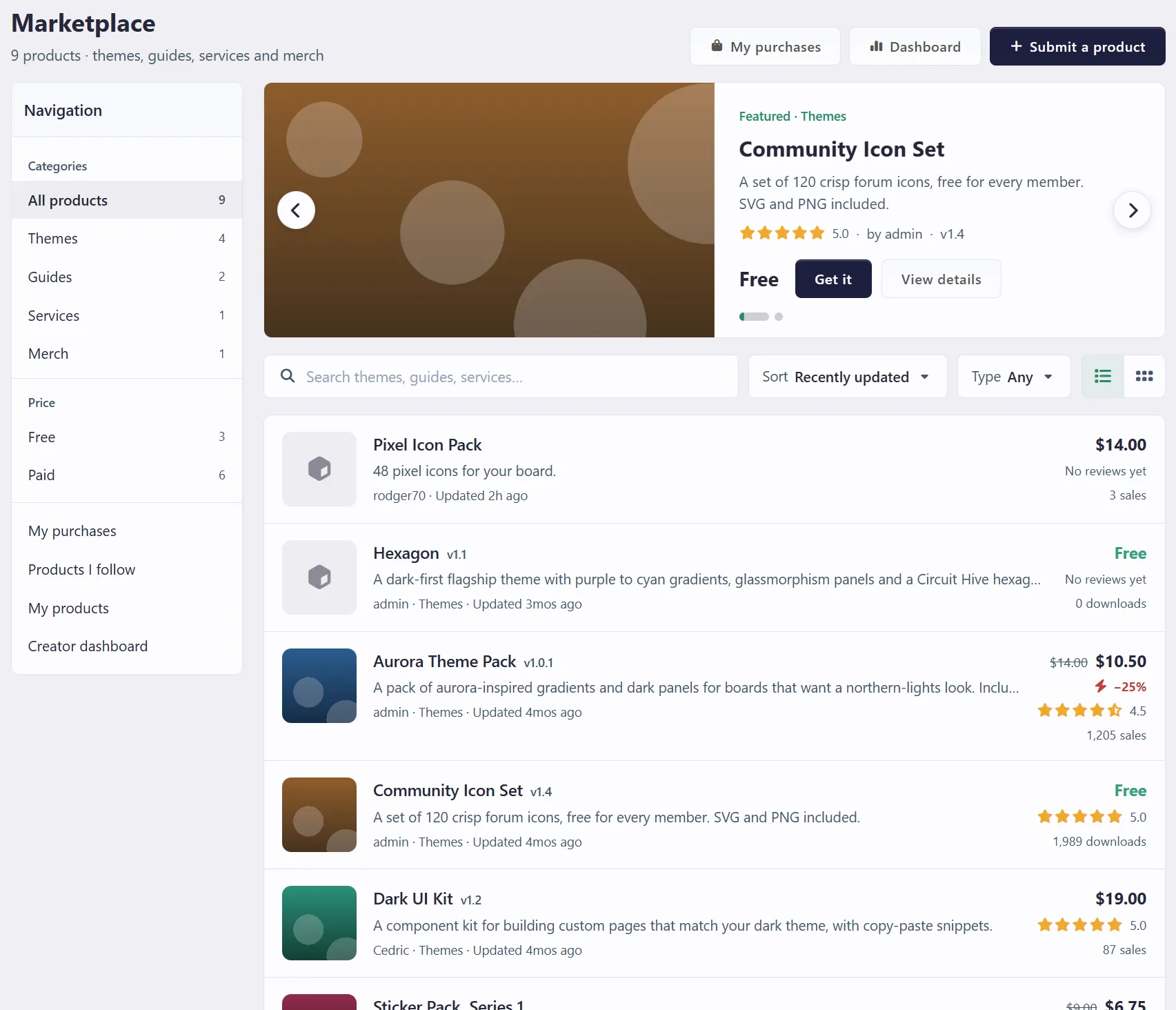
Featured slider at the top. Staff pick which products are featured. Slides move on by themselves, pause when someone hovers or focuses them, and the text settles in as each slide arrives.
Sidebar navigation with categories, price filters (free or paid), the products someone follows and their own products, drafts included.
Search, sort and type filters on the list. Search uses the same fast index as the rest of your board.
List or showcase grid. The grid shows two large covers per row with the category and seller. Each visitor's choice is remembered.
Submitting a product
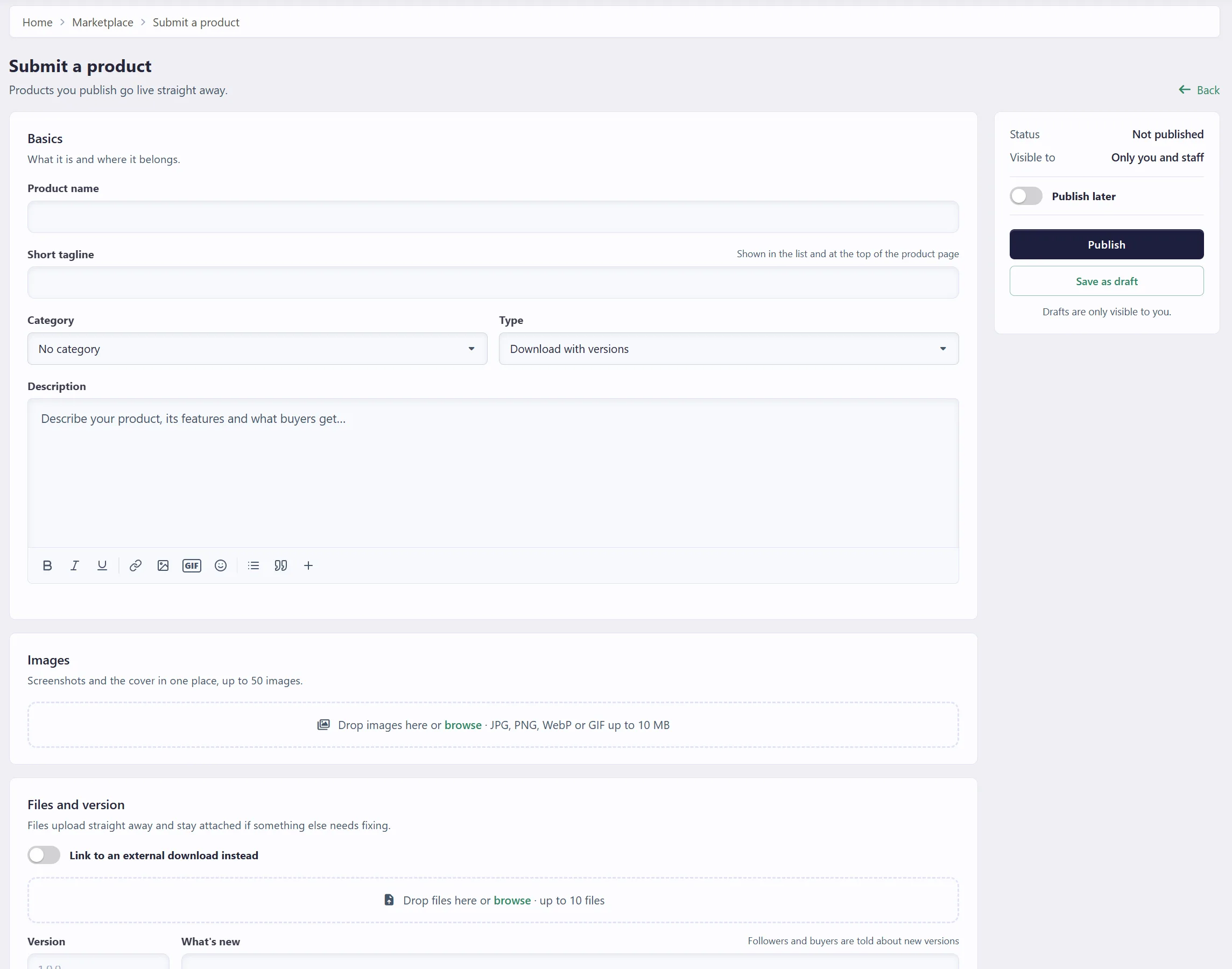
Submitting is one page now, with a summary and the publish buttons on the side.
Instant uploads. Images and files upload the moment they are picked, and they stay attached if the form comes back with an error.
One gallery for the cover and screenshots: up to 50 images by default, reordered by dragging, with a star to choose the cover.
Drafts only need a name and stay out of the approval queue until they are submitted.
Publish later takes a date and time in the member's own time zone. A product that still needs approval goes live at that time or when it is approved, whichever comes later.
The product page
The product page puts the buy or download box, versions and reviews in one place. Sellers can reply to reviews, members can vote reviews helpful, and anything waiting, scheduled, hidden or rejected shows a clear status strip at the top so nobody wonders why a product is not public yet.

A creator dashboard for sellers
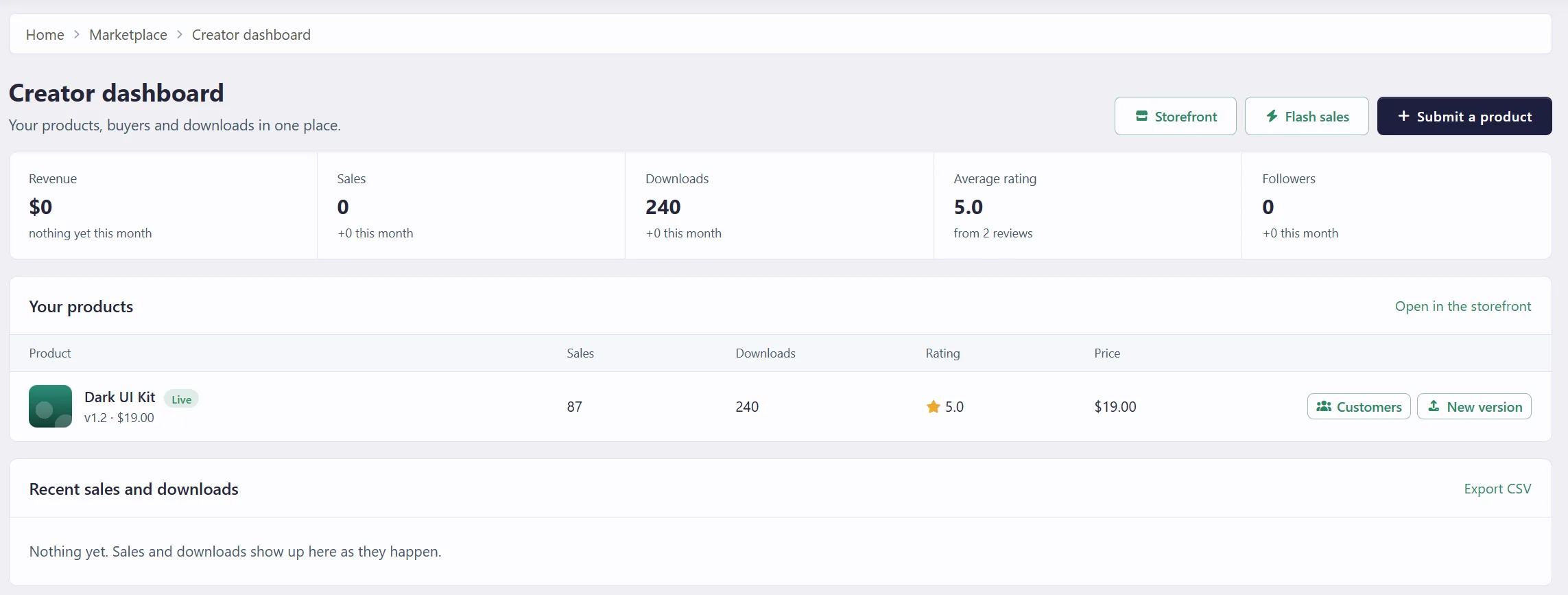
Everyone who sells or shares products gets a dashboard next to My purchases.
Totals, products, recent sales and downloads, with a CSV export.
Per product, a customer list where the seller can give someone access, extend their updates, make access lifetime, revoke or restore it, and keep private notes.
A product can ask for, or require, the buyer's site address before downloading. Sellers see it in the customer list.
Earnings, for members who sell for money (more on that below).
Flash sales
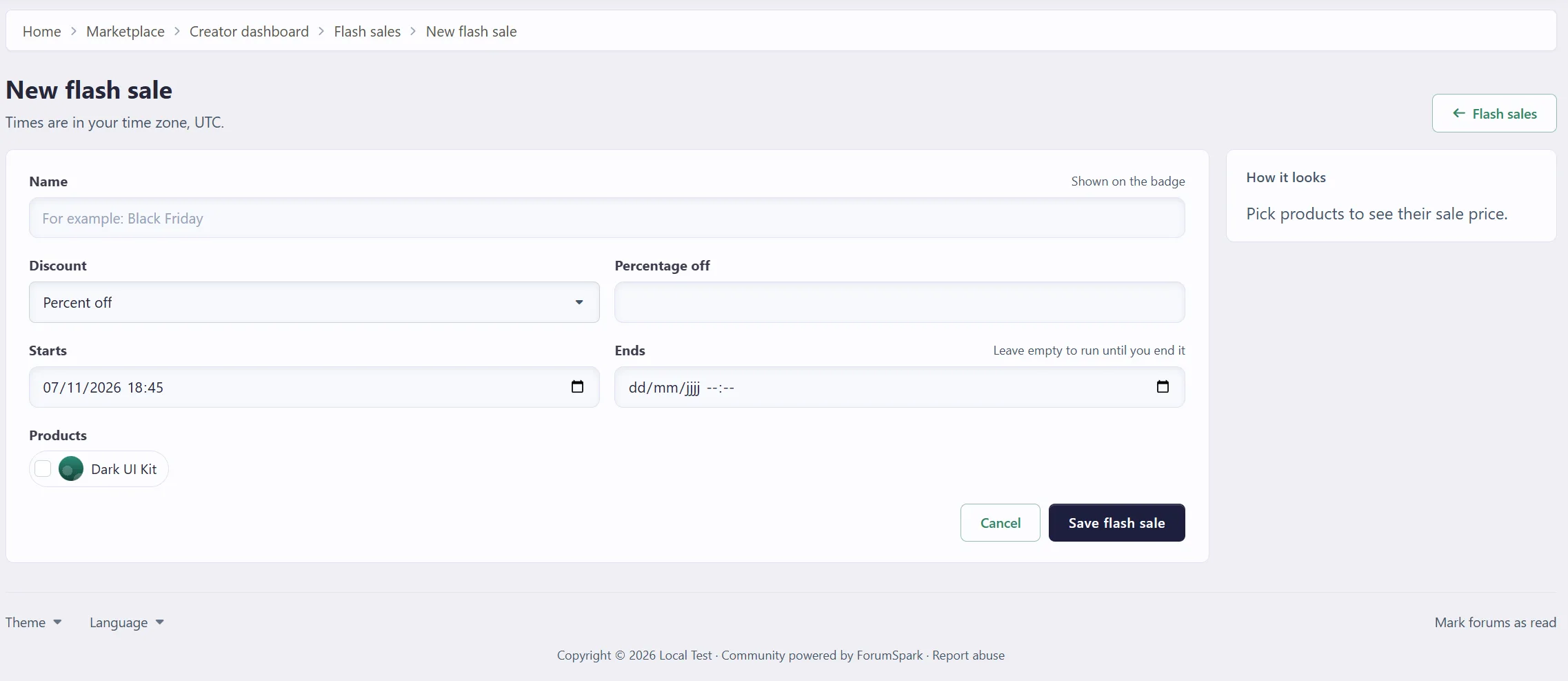
Sellers can run a percentage or fixed discount on a paid product, with a start time and an optional end. The struck-through price and a sale badge show everywhere the product appears: the list, the grid, the featured slider and the product page. Checkout charges the sale price. Sales can be edited, duplicated, ended early or deleted.
Paying with credits
If your board runs the credits economy, products can have a credit price next to the money price, or instead of it. Checkout shows the buyer's balance before and after, and delivers in one step that cannot charge twice. Member sellers can accept credits too and receive them, minus the board's share. Spending credits can be switched on or off per area in your credit settings, so nothing about credits shows if you don't use them.
Members selling for money
You can now let members sell for real money, with the board taking a commission.
Buyers pay your board as usual, through your own Stripe or PayPal. The board keeps the commission you set, and the rest goes to the seller's earnings.
Earnings are held for a number of days (14 by default but optional) before they can be withdrawn, so a refund can still be taken back.
Once the available amount reaches your minimum, the seller asks for a withdrawal to PayPal, a bank account or another method you allow.
Requests show up in the ACP. You send the money yourself, click Mark as paid (with a Payal reference for example), or decline, which puts the amount back. The seller gets a notification either way.
Products sold by staff do not build a balance, since that money is already the board's.
Moderation
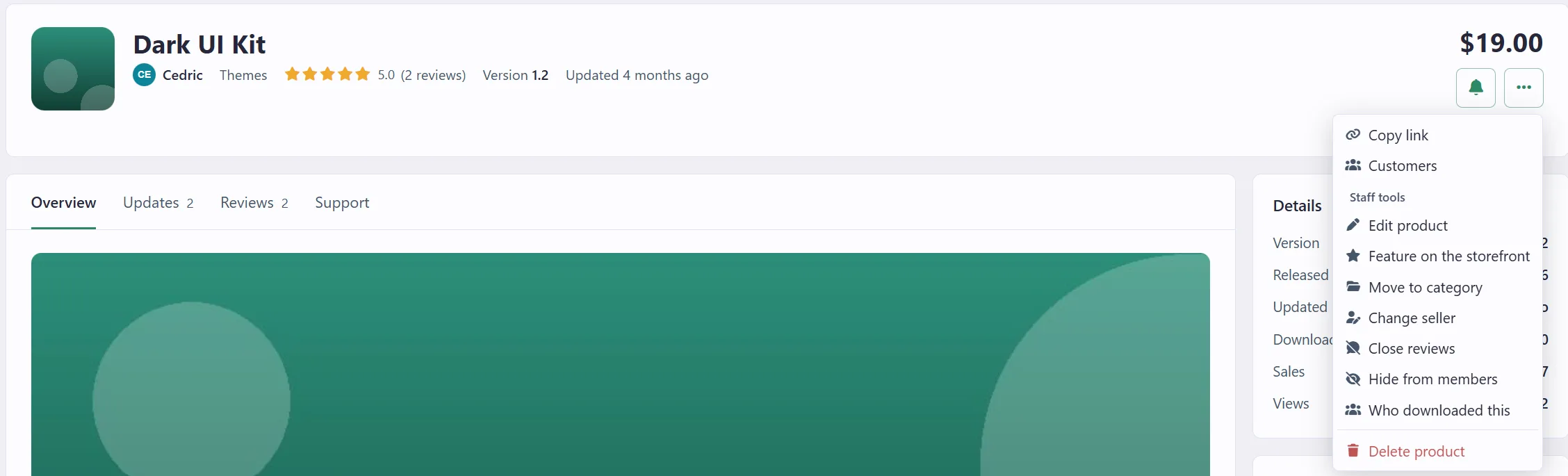
Previously moderation all went through the ACP. Staff can now moderate from the product page itself, through a new menu: approve, reject with a reason, feature, hide, move to another category, change the seller, close reviews and delete. Reviews can be approved, hidden, edited or deleted in place.
A new Moderate the marketplace permission lets you give this to moderators without making them admins.
Staff are notified when products or reviews wait for approval, and the ACP lists everything that is waiting.
Sellers are notified when their product is approved, rejected or goes live.
A lot of time has gone into improving the UI, accessibility, and overall consistency, with plenty of visual refinements across components, menus, styling, and general quality-of-life improvements.
More news soon! 🙂

