Half of this release came straight from your feedback topics. Members now see similar topics while they type a new title, widgets can sit between your categories, pages decide for themselves whether they want a sidebar, and Foroverse is coming soon. Around that, conversations lets you delete your own PMs, post counts keep themselves honest, and a long list of reported bugs is gone.
Similar topics while you write
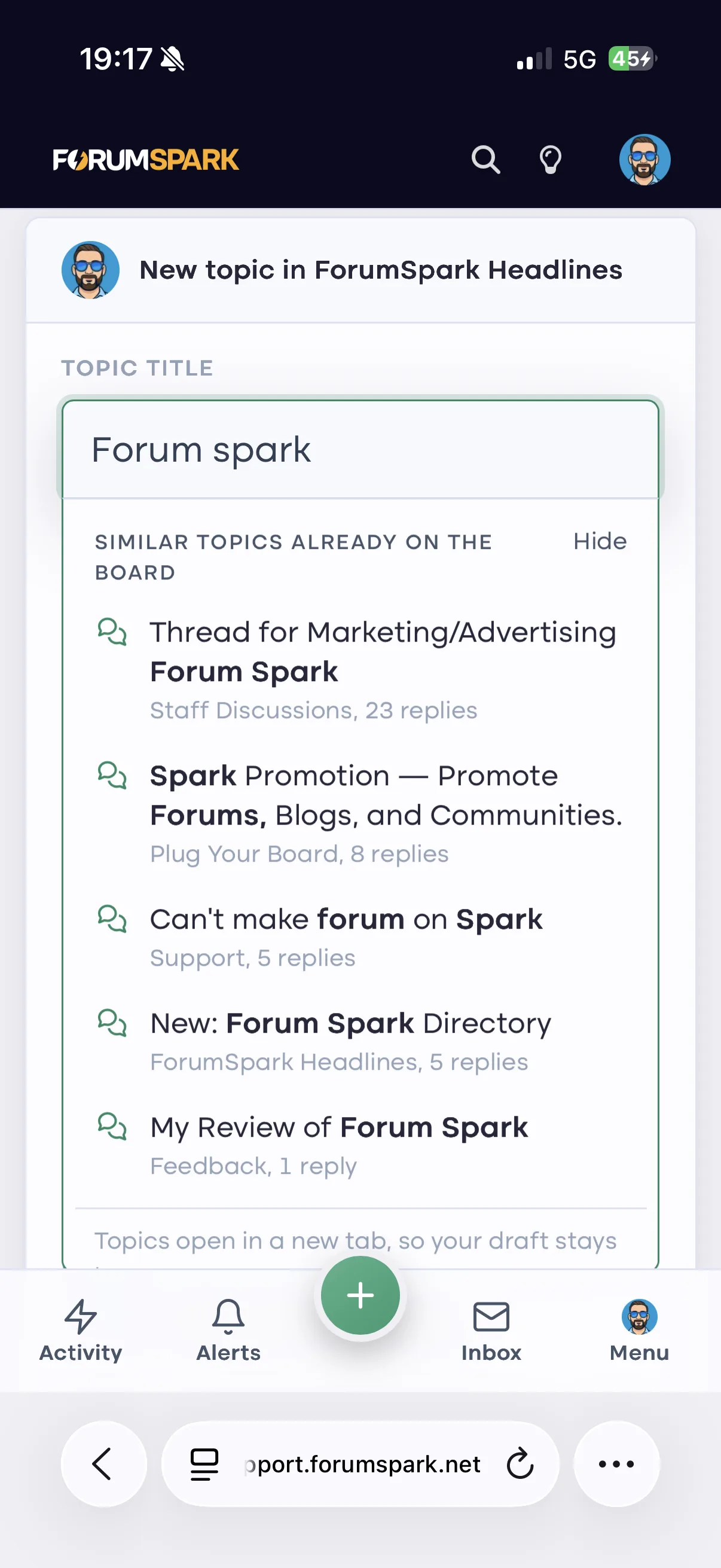
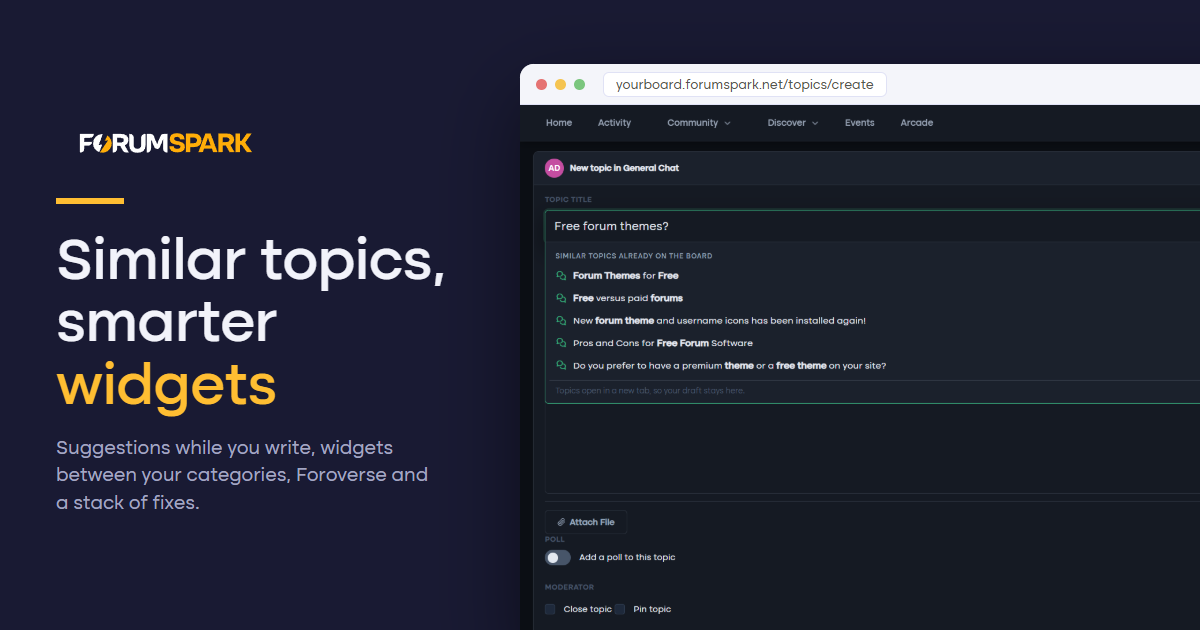
Duplicate topics are the oldest problem on any forum. As soon as a new topic title has two meaningful words, a dropdown opens right under the title field with up to five existing topics that cover the same ground, the matching words in bold, with their forum and reply count.
It is on for every board. You can switch it off under Settings, Preferences, Content & Posting, Suggest similar topics.
Widgets between your categories
Your board index used to have two places for wide widgets: above the board and below it. Now every gap between two categories is a widget area too. Open the Widget Studio and you will see a drop zone between each pair of categories, and a new Between categories group in the Layout panel.
Each spot has its own layout:
Stacked. Widgets one under the other at full width, the way they look above the board.
Category. The spot looks and collapses like a forum category, with a title you choose, and its widgets sit side by side inside it as columns.
Side by side. Widgets keep their own boxes and line up in a row, two or three across, stacking on phones.
It works in both the list and grid views of your index. If you delete a category, its widgets move below the board instead of disappearing.
Pages: your sidebar, your call
Every page now decides whether it shows the sidebar. Classic pages get a Show sidebar switch in the page form, on by default, and turning it off gives you a clean full-width page. Page Studio pages in Forum chrome get a Sidebar toggle in the top bar, off by default so nothing changes on the pages you already built.
Widgets can also be aimed at specific pages. In the Widget Studio, a widget's settings have a new Only on these pages list. Tick the pages it belongs on and it shows there and nowhere else. Leave them all unticked and it appears on every page, as before.
Foroverse
Foroverse is a free extension that connects your board to foroverse.com, so your public topics can be discovered by people who have never heard of your forum. Install it from the Extensions page and a short wizard walks you through connecting.
You choose what is shared. Only public forums can be shared, and you pick which ones. Topics waiting for approval and posts from spammers stay home.
Linked accounts. Members can link their ForumSpark account and sign in with Foroverse. New sign ups go through the same checks as your normal registration form.
Posting from Foroverse. When you switch it on, linked members can reply, start topics and like posts from Foroverse under their own account, with every rule of your board still applying. Both posting and likes are off until you turn them on.
Please note: Foroverse is not launched just yet. But we’re very close!
Conversations: delete what you want
You can now delete a whole conversation from your inbox, from the conversation's menu, the inbox list or the chat dock. It disappears from your side only, the other members keep their copy, and if someone writes again it comes back with just the new messages.
Your own messages can also be deleted for everyone, at any time. Before, that option only appeared for the first five minutes. On phones and tablets the message menu button is now always visible, so you no longer need a mouse to find it.
Post counts that stay right
Member post counts could drift away from the posts that actually exist, especially after deleting posts. A nightly recount corrects every member's post and topic count on every board, and ranks follow along. If you do not want to wait for the night, Recount post counts on the Member search page in the ACP does it right away as of now.
Smaller fixes
New members, including those joining through ForumSpark sign in, no longer land in the Guests group. A failed save on the Preferences page could quietly set Guests as the default group. That is fixed, the default group can no longer be the guest group, and we repaired the boards it had already happened to.
Opening a notification for a deleted topic no longer stacks copies of the page inside each other. (Infinity loop)
Pages keep their Show in menu setting when you edit them, and switching it back on works again.
Deleting a page frees its SEO URL, so you can use it again for a new page.
A widget's custom CSS can be cleared from the ACP widget manager.
Typing something like 1,5 as a credits adjustment shows a clear message instead of an error page.
The label title field no longer claims BB Code is allowed. Use the label colours to style it instead.