Credits & Shop

Cedric's Avatar
Cedric · in Themes & Extensions
23 replies 234 views

On May 30, 2026, IntellectualLiberation said:

Yeah I'm not really understanding how it works.

Under Custom CSS I put:

.sparkles {background:url(https://sonicblast.org/images/stars.gif) repeat scroll 0 0%;color:#b76db7;font-size:13px;padding:3px 10px;font-family:Andes;text-shadow:2px 3px 0px #430ed5;}

So in the item for the shop, do I just put in .sparkles in the shop manager for .css class?

I was able to figure it out, it's the same as user group customization for special effects.

For example, if you want to sell a shop item for bold usernames:

In your theme's CSS style sheet, put

.username-bold {
    font-weight: 700;
}

Then all you have to do in the shop is put username-bold in the CSS Class field

❤️ 1

On May 30, 2026, Eclipse said:

I was able to figure it out, it's the same as user group customization for special effects.

For example, if you want to sell a shop item for bold usernames:

In your theme's CSS style sheet, put

.username-bold {
    font-weight: 700;
}

Then all you have to do in the shop is put username-bold in the CSS Class field

Didn't work for me. That's essentially what I did earlier. I put the code in and when I go to the CSS selector I see this:

<a href="https://money.forumspark.net/users/moneyman" class="username username--25  a.username-bold">
<b><span style="color:#d2a00a">MoneyMan</span></b></a>

It puts the bold class there but doesn't do anything. Idk what I'm doing wrong. @Cedric any insights? Eclipse has it working but what they did is the same thing I did initially. This is all just a test for me now, I'm not sure what I want to do with the shop yet.

Last edited by NeoMetallix

On May 30, 2026, IntellectualLiberation said:

Didn't work for me. That's essentially what I did earlier. I put the code in and when I go to the CSS selector I see this:

<a href="https://money.forumspark.net/users/moneyman" class="username username--25  a.username-bold">
<b><span style="color:#d2a00a">MoneyMan</span></b></a>

It puts the bold class there but doesn't do anything. Idk what I'm doing wrong. @Cedric any insights? Eclipse has it working but what they did is the same thing I did initially. This is all just a test for me now, I'm not sure what I want to do with the shop yet.

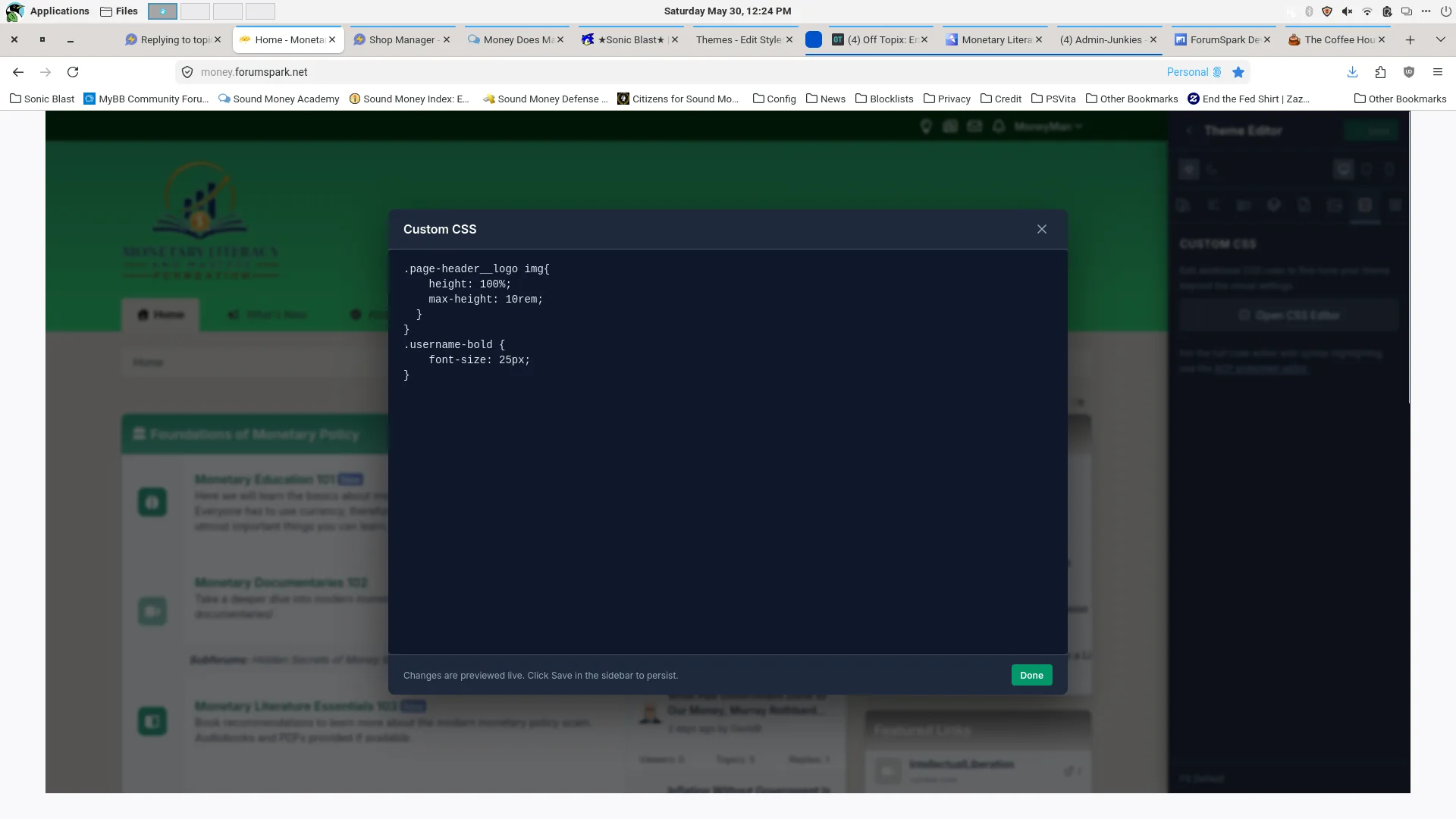
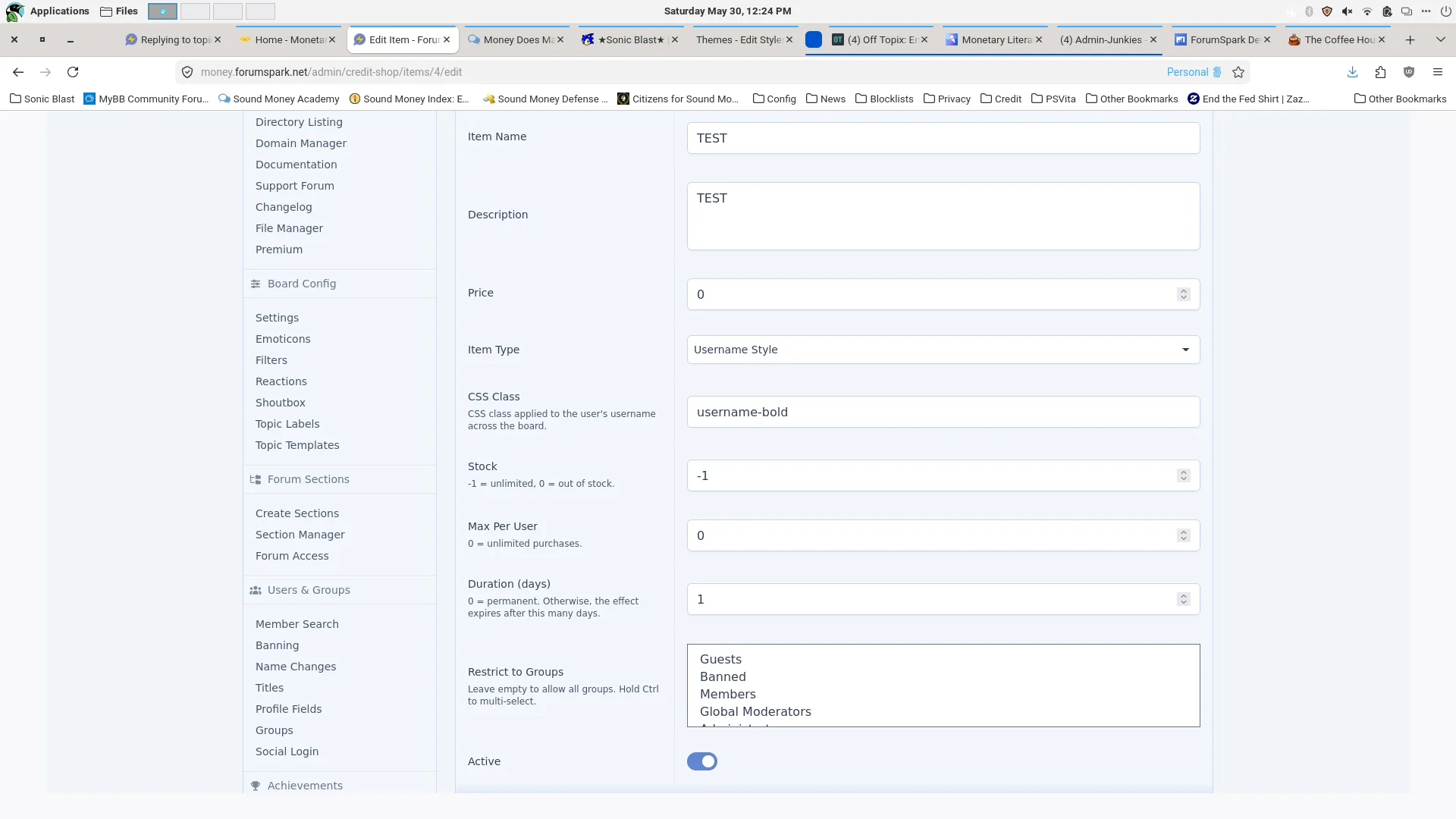
Can you screenshot the code from your CSS stylesheet and the CSS class value you have in the shop

On May 30, 2026, Eclipse said:

Can you screenshot the code from your CSS stylesheet and the CSS class value you have in the shop

For the CSS, I gave it a larger font size since admins are already bold just as a test. It should be working. My original should be working too, I did it the same way you posted and I even copied and pasted what you put for the bold exact and nothing.

On May 30, 2026, IntellectualLiberation said:

For the CSS, I gave it a larger font size since admins are already bold just as a test. It should be working. My original should be working too, I did it the same way you posted and I even copied and pasted what you put for the bold exact and nothing.

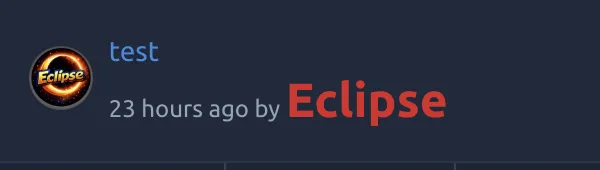
Hmm, that's strange. I just added a line to mine for font-size 24px to test, and it's working properly.

Make sure you are purchasing the shop item in the shop to test it out, from my experience it won't update automatically for people who have already purchased it

On May 31, 3026, Eclipse said:

Hmm, that's strange. I just added a line to mine for font-size 24px to test, and it's working properly.

Make sure you are purchasing the shop item in the shop to test it out, from my experience it won't update automatically for people who have already purchased it

Okay, got it working.

Are there usuable variables for custom profiles, to display the number of credits (for example)? Apologies if it's obvious or I missed it somewhere

On Jun 13, 2026, Mephi said:

Are there usuable variables for custom profiles, to display the number of credits (for example)? Apologies if it's obvious or I missed it somewhere

Not at the moment unfortunately.

On Jun 13, 2026, Cedric said:

Not at the moment unfortunately.

No problem, thanks for the quick response! 😁

Theme: FS 2.0
Create Your Community with ForumSpark

ForumSpark is a modern community platform built on custom software. It combines the familiar feel of classic forums with a fast, simple experience designed for today’s communities.