
Clubs are communities inside your community: groups your members start and run themselves, each with its own page, its own discussions and its own members. Think guild halls, book circles, regional chapters or a team working on one project. In 2.1 every part of Clubs was rebuilt, from the directory to the way staff keep an eye on them. Here is the full tour.
The directory
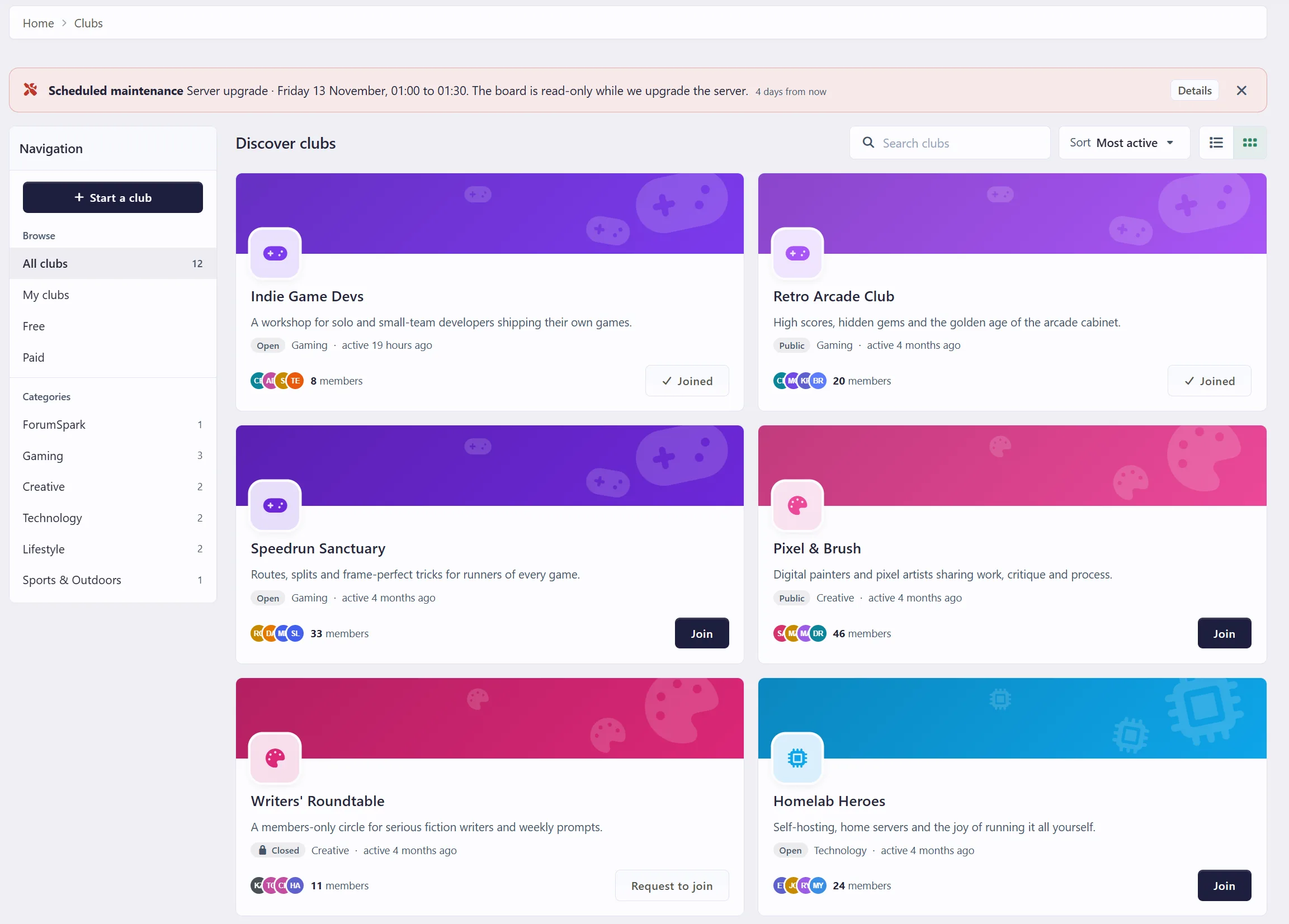
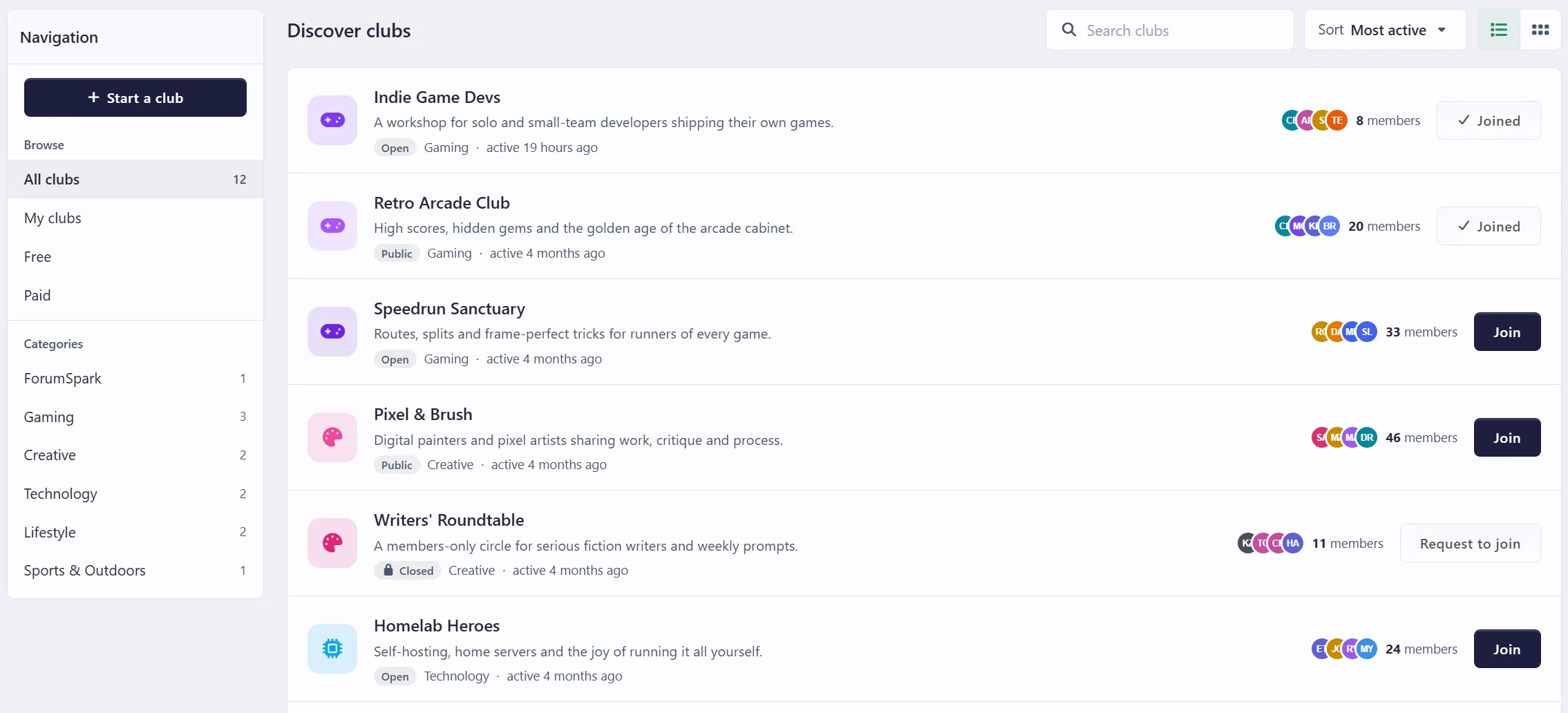
Cover cards by default, with the club's cover, icon, tagline, member faces and how recently it was active. A list view is one click away for boards with many clubs.
Search and sort by most active, most members or newest, with categories in the side navigation.
Join from the list, without opening the club first.
Featured clubs show first, with a small Featured badge. Staff choose them.
Starting a club
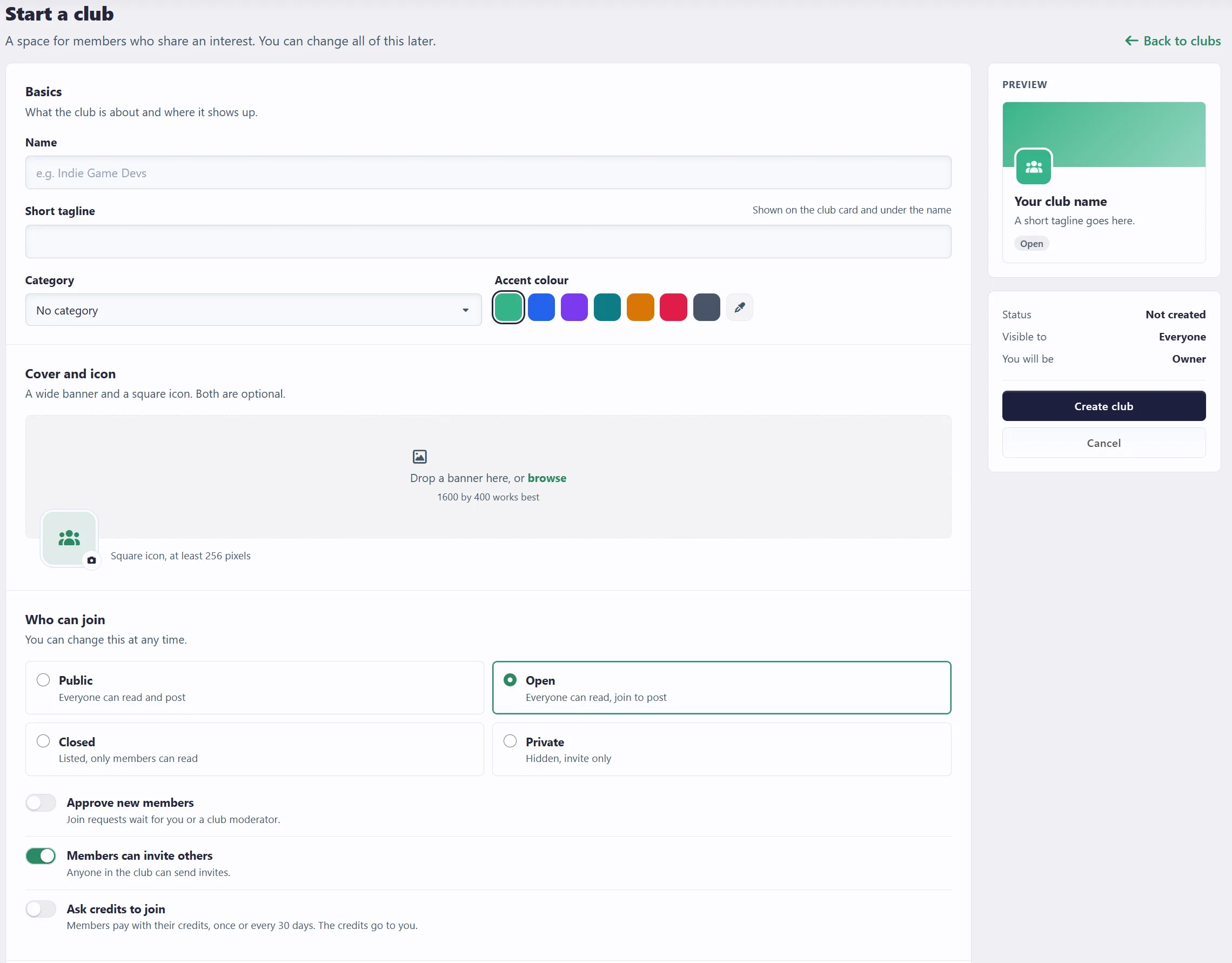
The Start a club page is split into short sections: the basics, the cover and icon, who can join, and the club page itself. Next to the form a live preview shows the card exactly as the directory will show it, so the name, tagline, colour and cover can be tuned before the club exists.
Pick an accent colour from a set of presets or any colour you like.
Choose who can join: Public (anyone reads and posts), Open (anyone reads, join to post), Closed (listed, only members read) or Private (hidden, invite only).
Optionally approve every new member, and decide whether members may invite others.
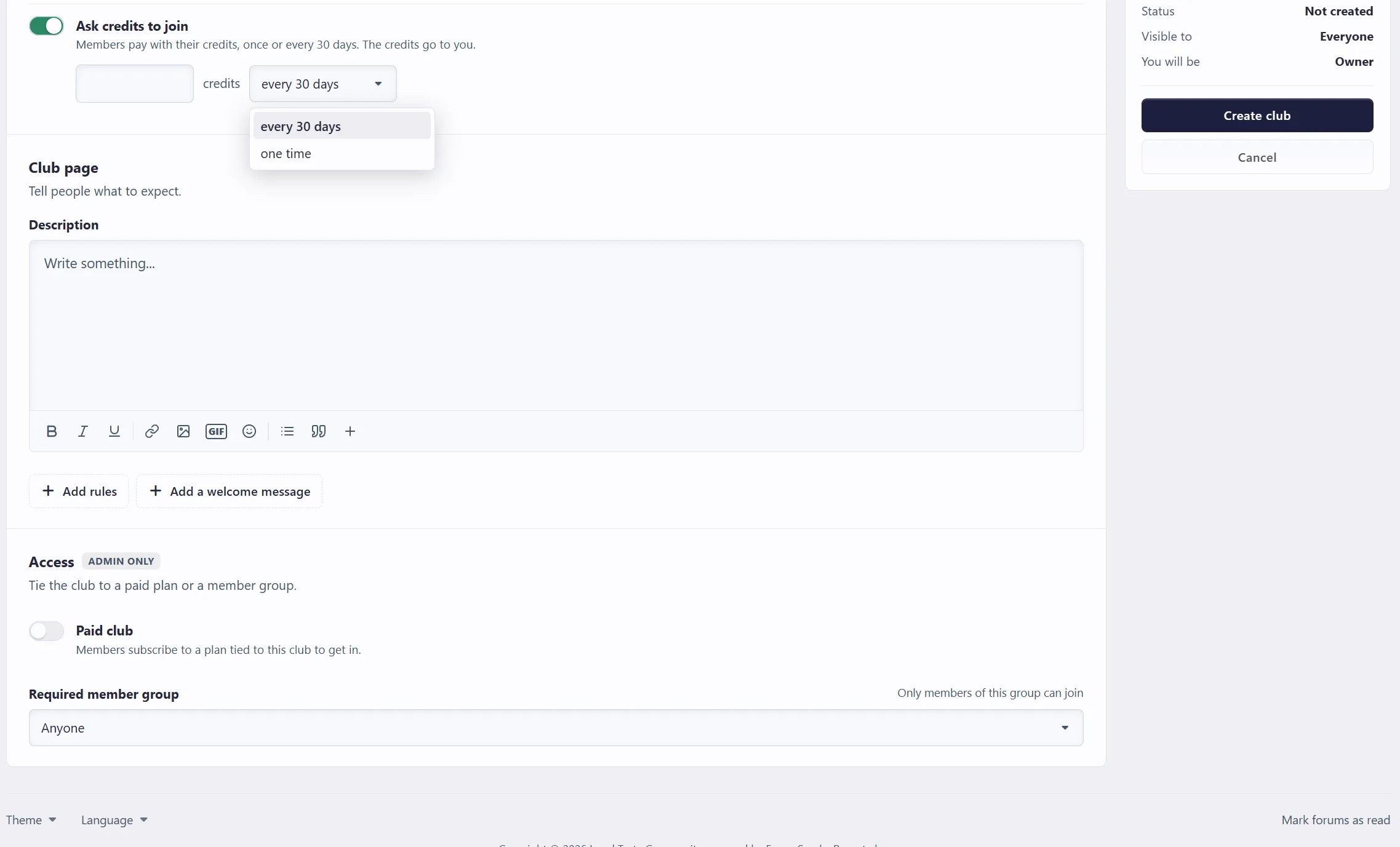
Rules and a welcome message are there when you want them and stay out of the way when you don't.
Set your club as Paid or ask for a monthly or one time credits fee.
The club page
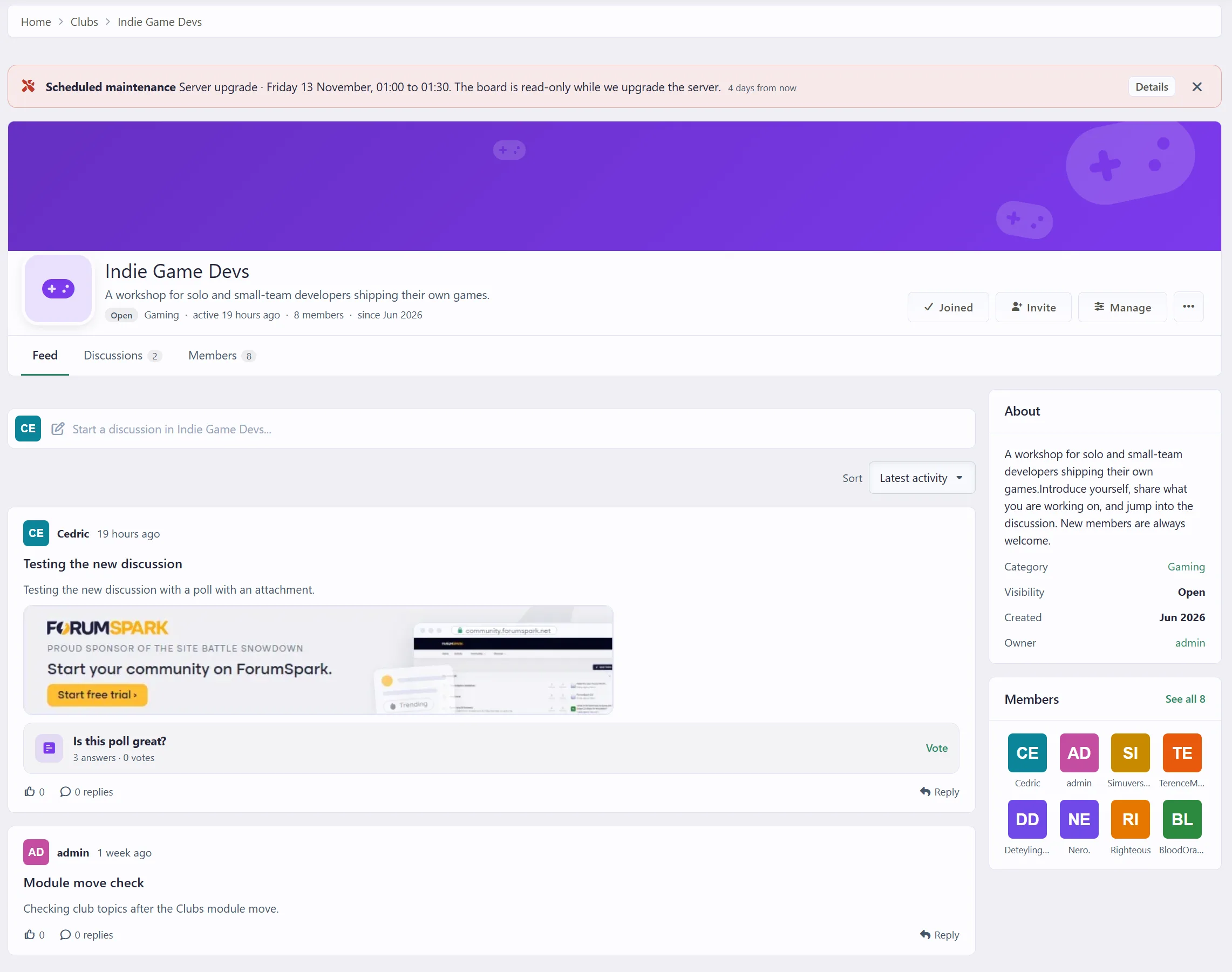
A club now feels like a small community of its own. The header carries the cover, icon and the actions that matter: Join, Invite and Manage. Below it there are three tabs.
Feed: the latest discussions as posts, with the opening text, the first image, poll previews, reactions and who replied last. Starting a discussion uses the same editor as the rest of your board, polls and options included. It sits folded up at the top until you click it.
Discussions: the plain list, or the club's forums when it uses several.
Members: see below.
Clubs can stay simple with one feed, or use several forums. When there are several, members pick the forum from a dropdown while posting and can filter the feed by forum.
Members and roles
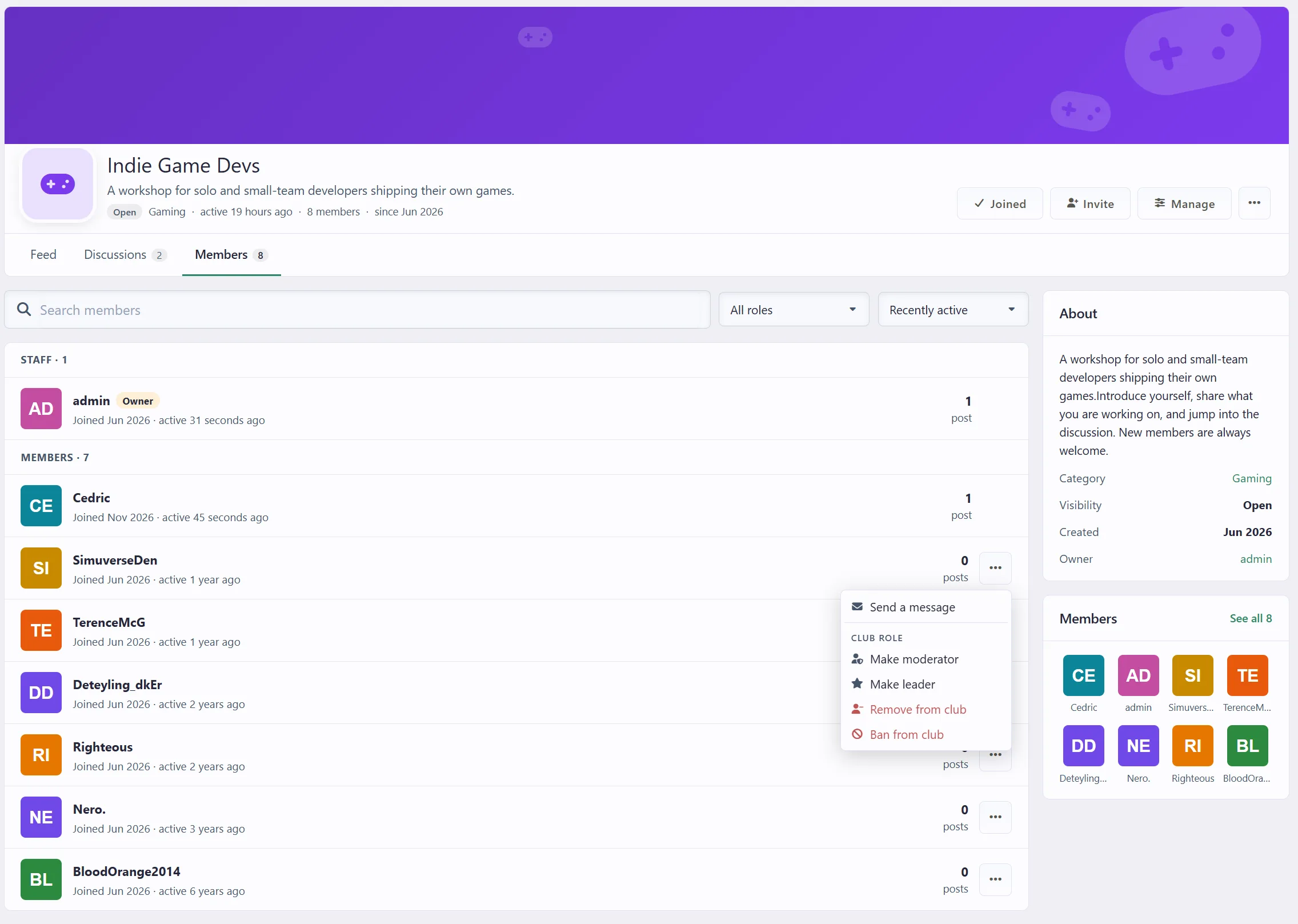
The Members tab lists club staff first, then everyone else, with search, a role filter and sorting by recent activity, join date or name. Each member shows their post count in the club.
Owners make members moderators or leaders, or turn them back into members.
Club staff can remove or ban someone. A banned member cannot join again or be invited until the ban is lifted.
Join requests sit at the top of the tab for club staff, with Approve and Decline right there.
Managing a club
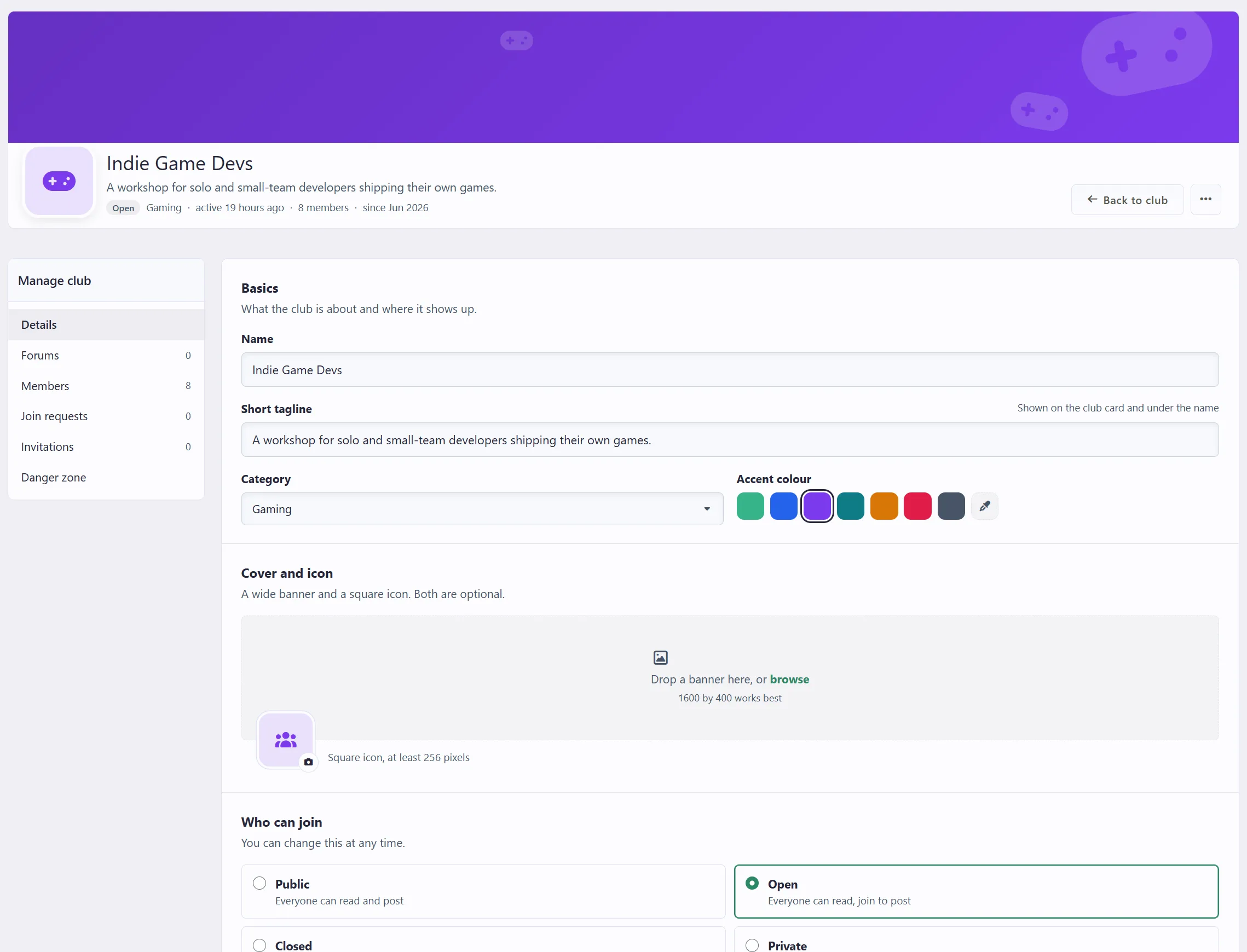
Owners and club staff get one manage area with its own navigation:
Details: everything from the Start a club page.
Forums: one feed or several forums, plus adding, renaming, reordering and removing forums.
Join requests and Invitations, where open invites can be cancelled.
Danger zone: transfer ownership (the old owner stays on as a leader), archive the club, or delete it after typing its name.
Paying to join with credits
If your board runs the credits economy, a club owner can ask credits to join, either every 30 days or as a one-time fee. The credits go to the owner. Monthly memberships renew on their own and end, with a notification, when a member runs out of credits. A one-time fee keeps the member in for good. You decide in your credit settings whether clubs may charge credits at all.
Moderation for staff
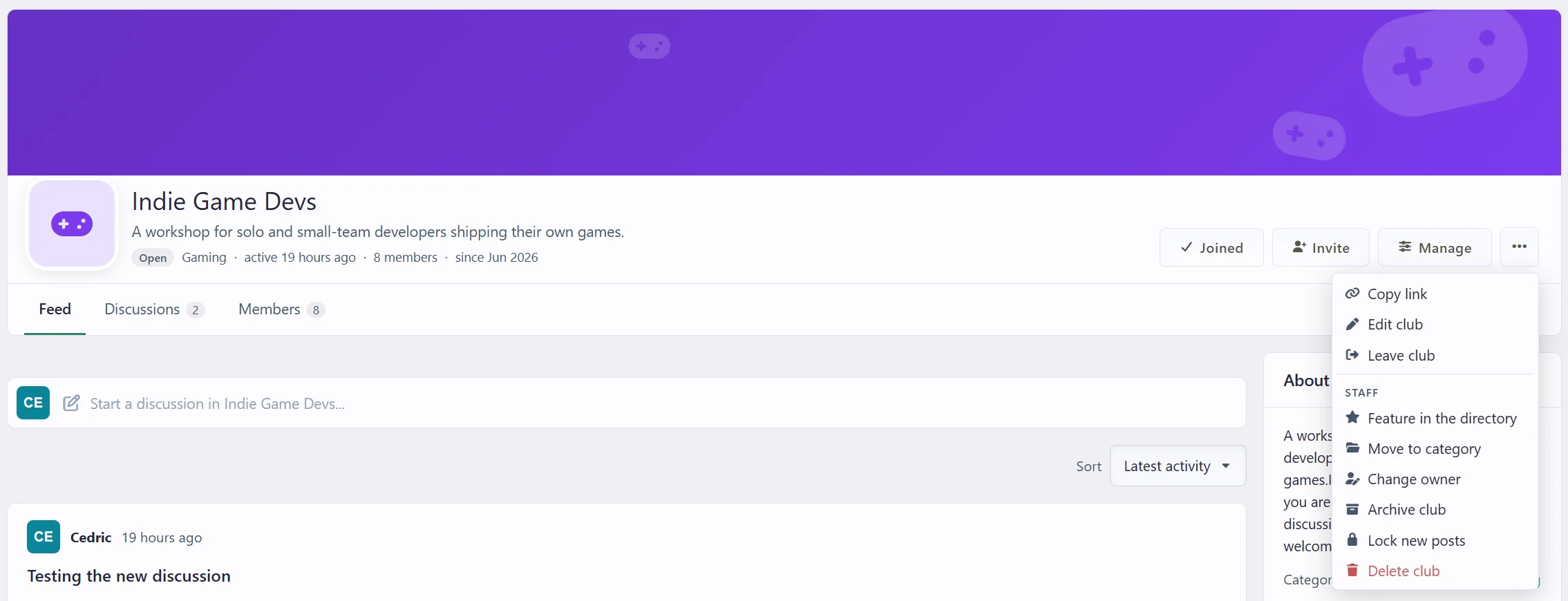
Clubs are run by members, but your staff stay in charge. A new Moderate clubs permission (under Groups, Permissions) gives moderators a Staff section in every club's menu:
Approve new clubs, or reject them with a reason the owner can read.
Feature a club in the directory, move it to another category or change its owner.
Archive a club: it leaves the directory and closes to new posts, while members can still read it. An owner cannot undo an archive that staff made.
Lock new posts for a while, so only club staff can post.
Delete a club together with its forums and topics.
A status strip above the club header says when a club waits for approval, was rejected, is archived or is locked, so owners always know where they stand. Moderators can also manage any club's members, requests and forums.
More news soon! 🙂

